Free · open source · no telemetry
The disk cleaner that understands AI and dev clutter.
Reclaim the gigabytes your models, package managers, and dead apps leave behind — on macOS and Windows.
Everything goes to the Trash — nothing is permanently deleted. Universal Mac build (Apple Silicon + Intel). Signed on both platforms.
The problem
Your disk is full of things you downloaded once.
A model you tried for an afternoon. Package caches from five virtualenvs. An app you uninstalled a year ago that never cleaned up after itself. Generic cleaners see folder sizes. Jharu knows what the data actually is — and whether you ever used it.
What makes it different
It tells used from merely downloaded.
Per-model ML intelligence
Every model listed individually — Hugging Face, Ollama, Whisper. Jharu separates models you actually loaded from ones downloaded once and never opened. Shared Ollama layers are kept, so removing one never breaks another.
See your whole disk as a map
A treemap sizes every folder by what it holds, colour-coded by type. Click a block to go inside. The biggest space-eater is simply the biggest rectangle — no more guessing.
Nothing is ever really deleted
Every clean moves data to the Trash or Recycle Bin, and a plain-English dialog tells you the real cost first — a cache rebuilds itself, a model re-downloads, your own files are gone for good.
Clean uninstaller
Removes an app and the support files, caches, and preferences it scattered across your system. On Windows it runs each program's own uninstaller, then sweeps the leftovers.
Python environment analyzer
Finds every virtualenv and conda environment and shows what duplication costs — the "torch is installed eleven times" problem, quantified across your whole machine.
Honest by design
No registry cleaner. Prefetch is shown but never cleared. If Jharu can't read a folder, it says so instead of hiding it. A cleaner that hides what it can't see is worse than one that admits it.
New in 1.0
From a cache cleaner to a full storage tool.
Jharu 1.0 opens on an Overview of every drive, adds a Speed tab with live load, a floating gadget and a careful task closer, and is now signed on both platforms. Released October 30, 2026.
Git worktrees
Finds the spare checkouts that git worktree, Claude Code and Codex leave behind. Only worktrees whose commits are already on the main branch and have nothing uncommitted are preselected. Branches are never deleted.
Build folders
node_modules, Rust target, .next, dist and more — offered only when the project beside it confirms what it is, with the command that brings it back.
AI coding tools
What Claude Code, Codex, Cursor, Windsurf, Copilot, Continue and Aider leave behind. Caches are safe once the tool is closed; conversations, memory and settings are never preselected.
Duplicates
Identical files and the same model stored by several tools, confirmed by BLAKE3 hashes — never by name or date. Hard links are recognised as shared space, not duplicates.
App sandboxes
The private AppData copies of Store (MSIX) apps on Windows and sandboxed apps on macOS, which most cleaners never show — one package held 86 GB.
System space
The hibernation file, restore points, the component store, Time Machine snapshots and Docker — each with what turning it off costs and the exact command Jharu runs.
Screenshots
What Jharu 1.0 looks like.
Real screens from the app. Every item is sized, explained in plain language and rated for how safe it is to remove — and anything removed goes to the Trash or Recycle Bin.
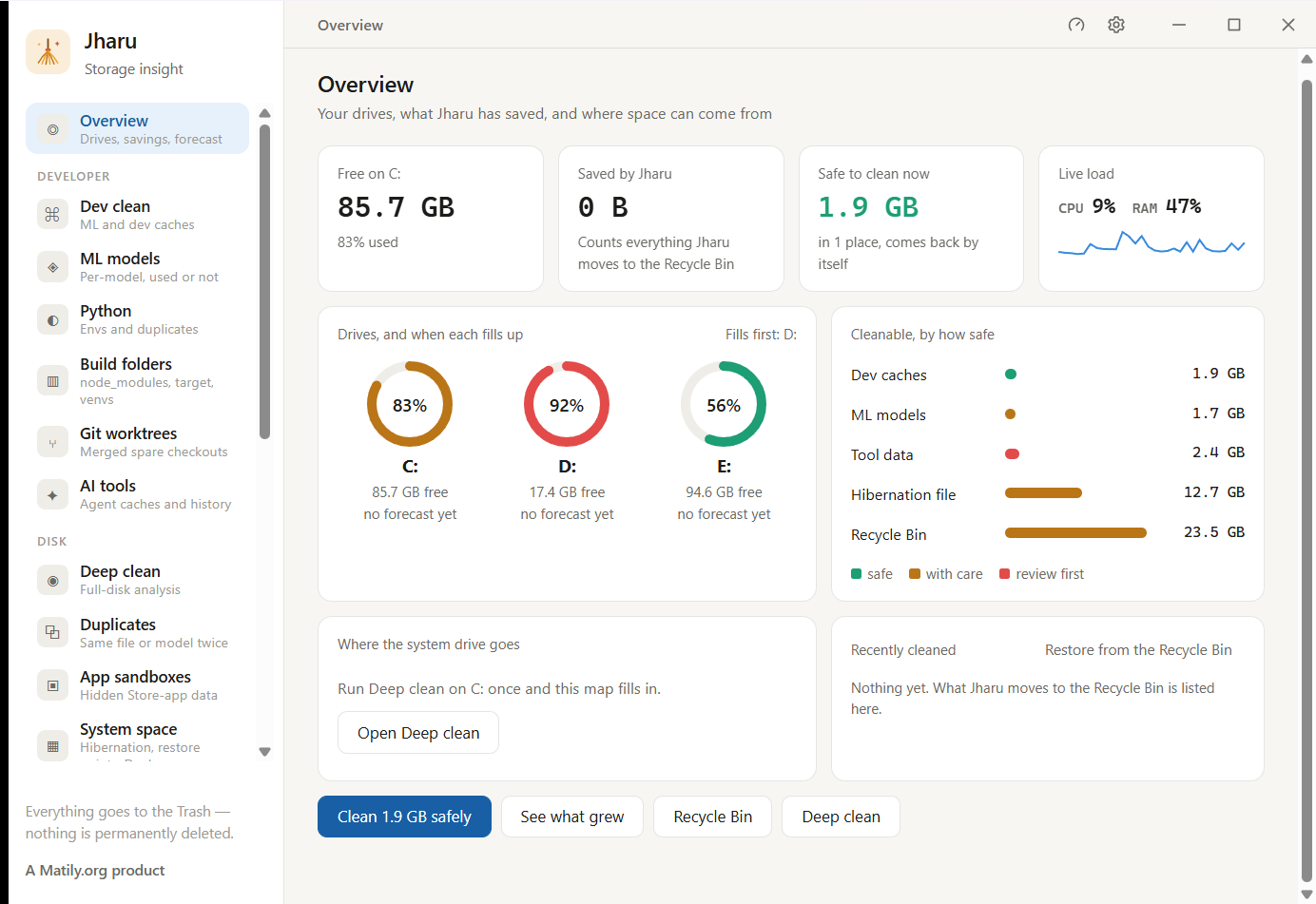
Overview — every drive and what is safe to clean now
The page Jharu opens on: free space on each drive and when it will fill up, what is safe to clean right now, live CPU and memory load, and cleanable space grouped by how safe it is.
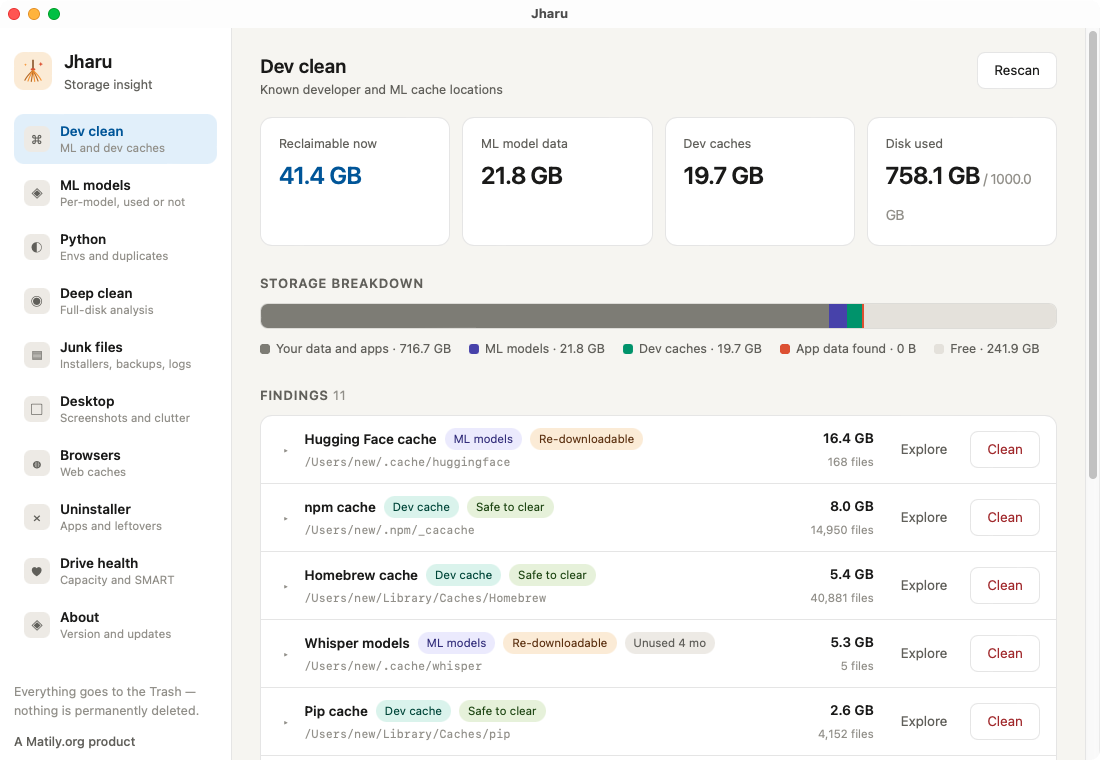
Dev clean — every known cache location, sized and rated
More than 25 developer and machine-learning cache locations, each with its size, a plain-language explanation and a safety rating.
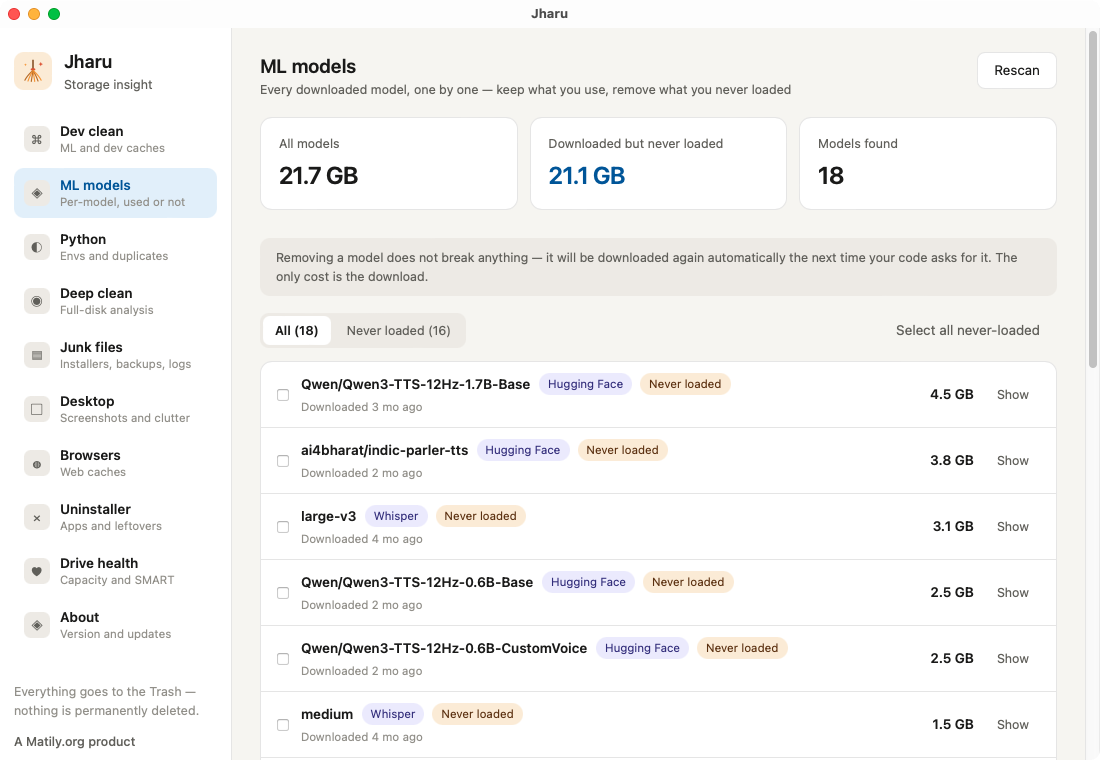
ML models — used versus downloaded and never loaded
Every Hugging Face, Ollama, Whisper and PyTorch model listed individually. In this example 21.1 GB of the 21.7 GB had been downloaded and never loaded once.
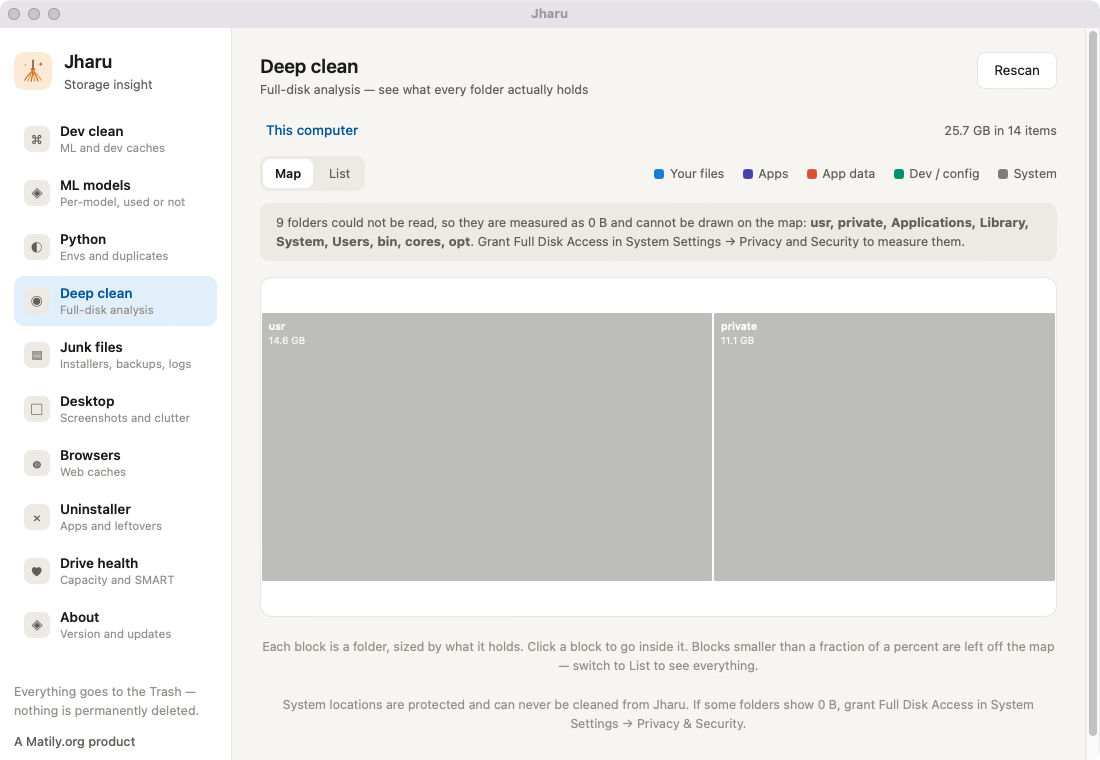
Deep clean — folders sized by what they hold
A treemap where box area is size on disk and colour is the safety rating, with an honest notice naming any folders Jharu could not read.
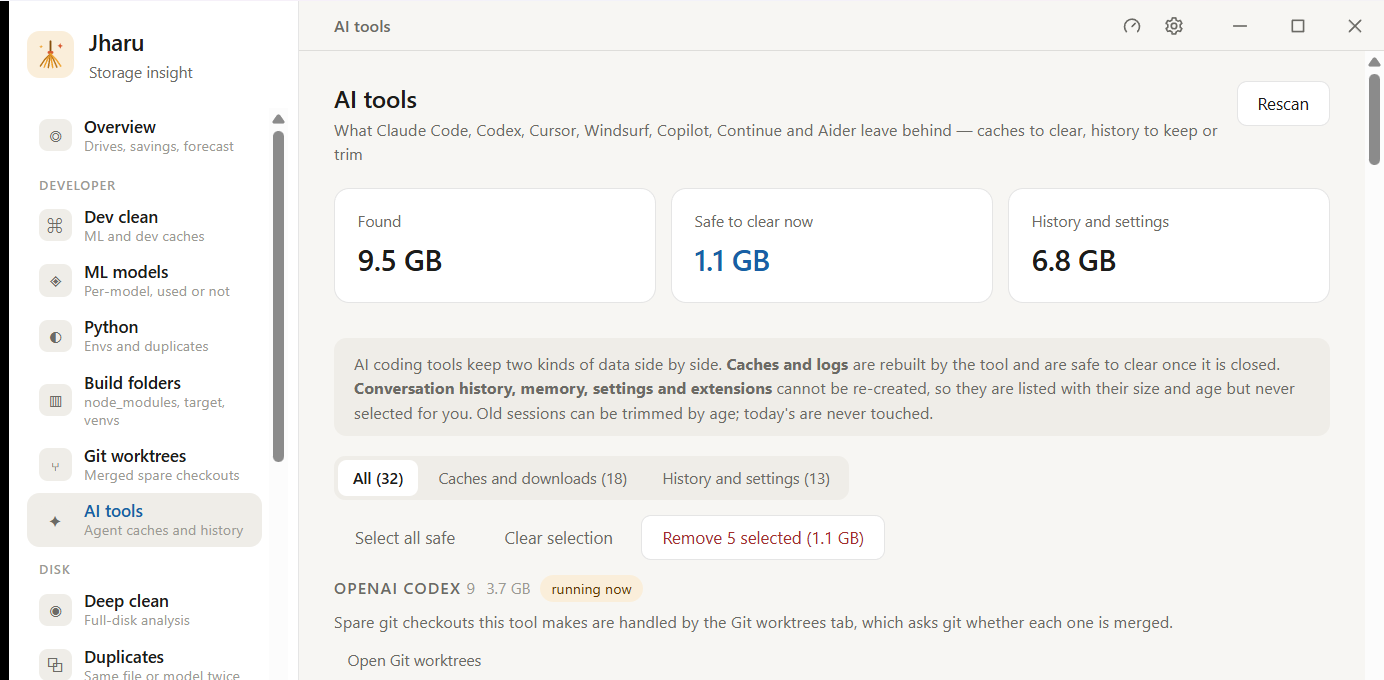
AI tools — caches kept apart from history you cannot get back
What Claude Code, Codex, Cursor, Windsurf, Copilot, Continue and Aider leave behind. Rebuildable caches are safe once the tool is closed; conversations, memory and settings are never selected automatically.
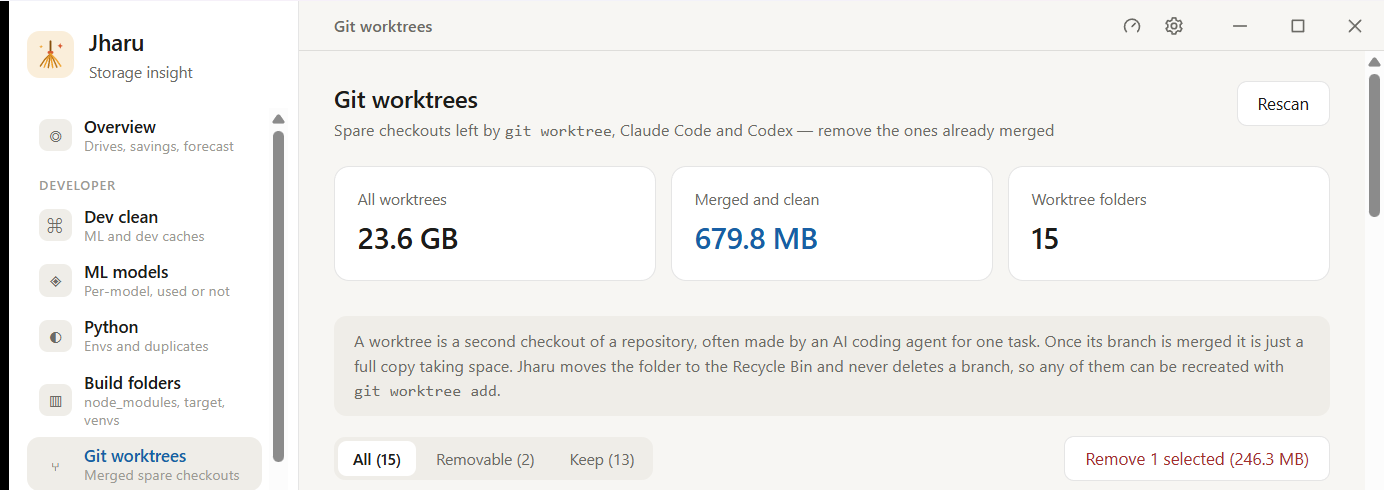
Git worktrees — spare checkouts and which ones are merged
The full copies of a repository that git worktree, Claude Code and Codex leave behind. Jharu asks git which are merged and clean, and preselects only those.
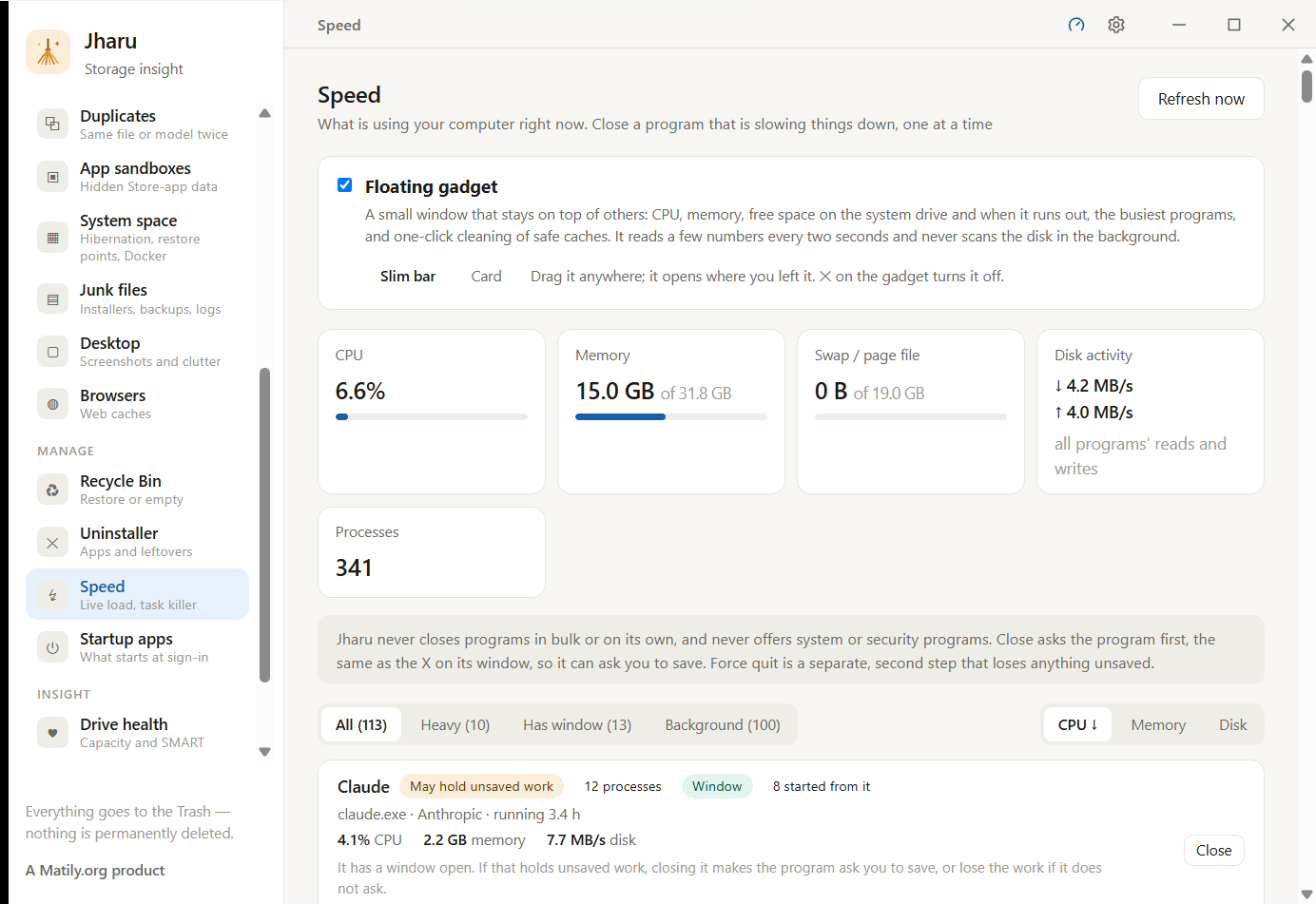
Speed — live load and a careful task closer
Live CPU, memory, swap and disk activity, and running programs that can be closed one at a time. Jharu asks a program to close before it offers to force it.
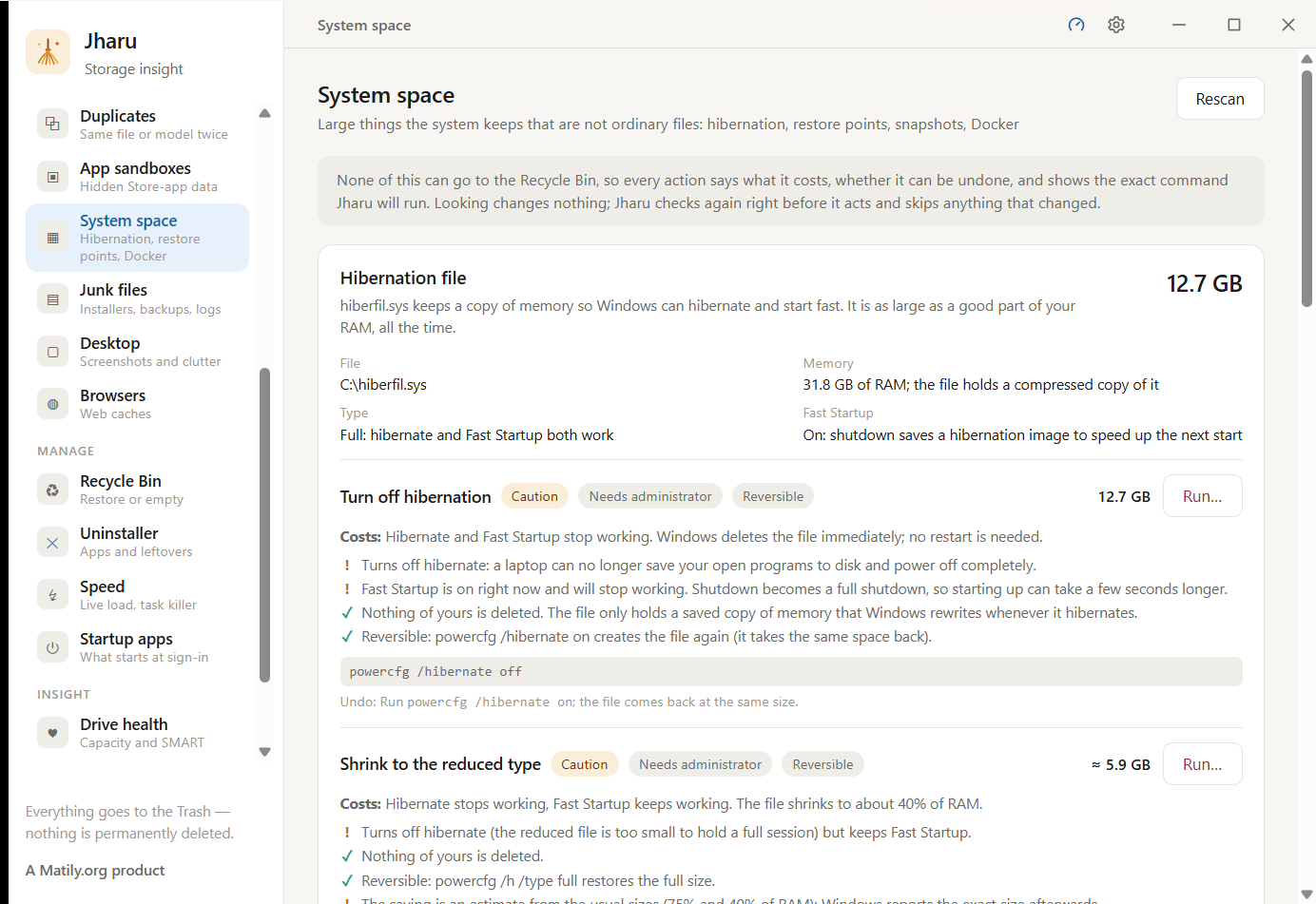
System space — the big things the operating system keeps
The hibernation file, restore points and Docker, each with what turning it off costs, how to undo it and the exact command Jharu will run.
Watch
See it reclaim gigabytes in under a minute.
One scan, a plain-English breakdown, and a click to clean — with the real numbers from a real machine.
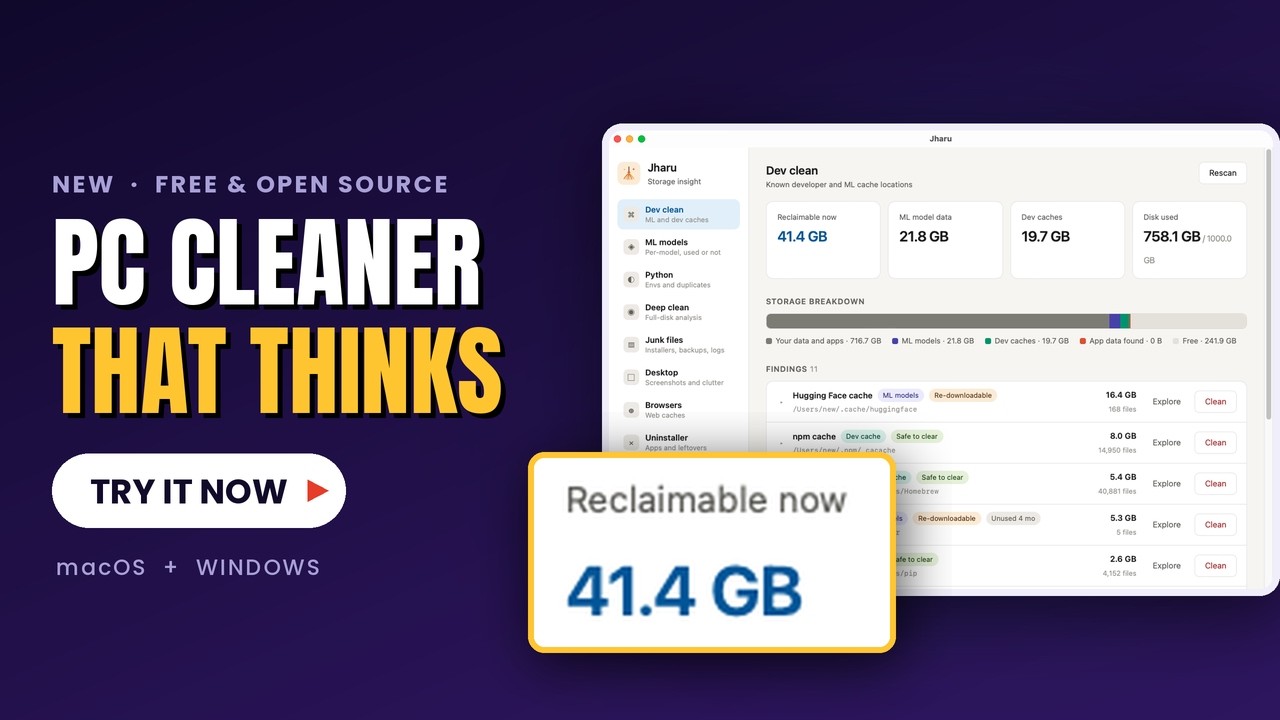 ▸ demo · jharu · macOS
Honest comparison
A free CleanMyMac alternative, built for people who make things.
Generic cleaners are built to look busy and sell a subscription. Jharu does one thing deeply: the developer and AI data no general-purpose cleaner understands.
| Jharu | CleanMyMac | CCleaner | |
|---|---|---|---|
| Price | Free forever | $40+/yr | Freemium |
| Open source | Yes · Apache 2.0 | No | No |
| Understands ML model caches | Yes | No | No |
| Used vs never-loaded detection | Yes | No | No |
| Telemetry / tracking | None | Yes | Yes |
| macOS & Windows | Both | macOS only | Both |
| Registry "cleaner" snake oil | Never | — | Yes |
Answers
Frequently asked questions
Is Jharu a free disk cleaner?
Is it an AI cleaner?
How do I clear the Hugging Face or Ollama model cache?
Is it safe? Will it delete something important?
Is this a good free alternative to CleanMyMac or CCleaner?
Does it work on both Mac and Windows?
Is the installer signed? Will Windows or macOS warn me?
Does Jharu update itself?
What can Jharu clean on a Mac or Windows PC?
How do I safely delete old node_modules and build folders?
Can Jharu clean up Claude Code, Codex and Cursor leftovers?
Does Jharu find duplicate files and duplicate models?
Does Jharu need administrator permission?
Reclaim your disk in about a minute.
Download Jharu, run one scan, and see exactly what is safe to remove — with the real numbers from your own machine.
Signed: Mac app notarized by Apple, Windows installer signed with a verified publisher.
v1.0.0 · Apache 2.0 · source on GitHub