Free · open source · no telemetry
The disk cleaner that understands AI and dev clutter.
Reclaim the gigabytes your models, package managers, and dead apps leave behind — on macOS and Windows.
Everything goes to the Trash — nothing is permanently deleted. Universal Mac build (Apple Silicon + Intel).
The problem
Your disk is full of things you downloaded once.
A model you tried for an afternoon. Package caches from five virtualenvs. An app you uninstalled a year ago that never cleaned up after itself. Generic cleaners see folder sizes. Jharu knows what the data actually is — and whether you ever used it.
What makes it different
It tells used from merely downloaded.
Per-model ML intelligence
Every model listed individually — Hugging Face, Ollama, Whisper. Jharu separates models you actually loaded from ones downloaded once and never opened. Shared Ollama layers are kept, so removing one never breaks another.
See your whole disk as a map
A treemap sizes every folder by what it holds, colour-coded by type. Click a block to go inside. The biggest space-eater is simply the biggest rectangle — no more guessing.
Nothing is ever really deleted
Every clean moves data to the Trash or Recycle Bin, and a plain-English dialog tells you the real cost first — a cache rebuilds itself, a model re-downloads, your own files are gone for good.
Clean uninstaller
Removes an app and the support files, caches, and preferences it scattered across your system. On Windows it runs each program's own uninstaller, then sweeps the leftovers.
Python environment analyzer
Finds every virtualenv and conda environment and shows what duplication costs — the "torch is installed eleven times" problem, quantified across your whole machine.
Honest by design
No registry cleaner. Prefetch is shown but never cleared. If Jharu can't read a folder, it says so instead of hiding it. A cleaner that hides what it can't see is worse than one that admits it.
Watch
See it reclaim gigabytes in under a minute.
One scan, a plain-English breakdown, and a click to clean — with the real numbers from a real machine.
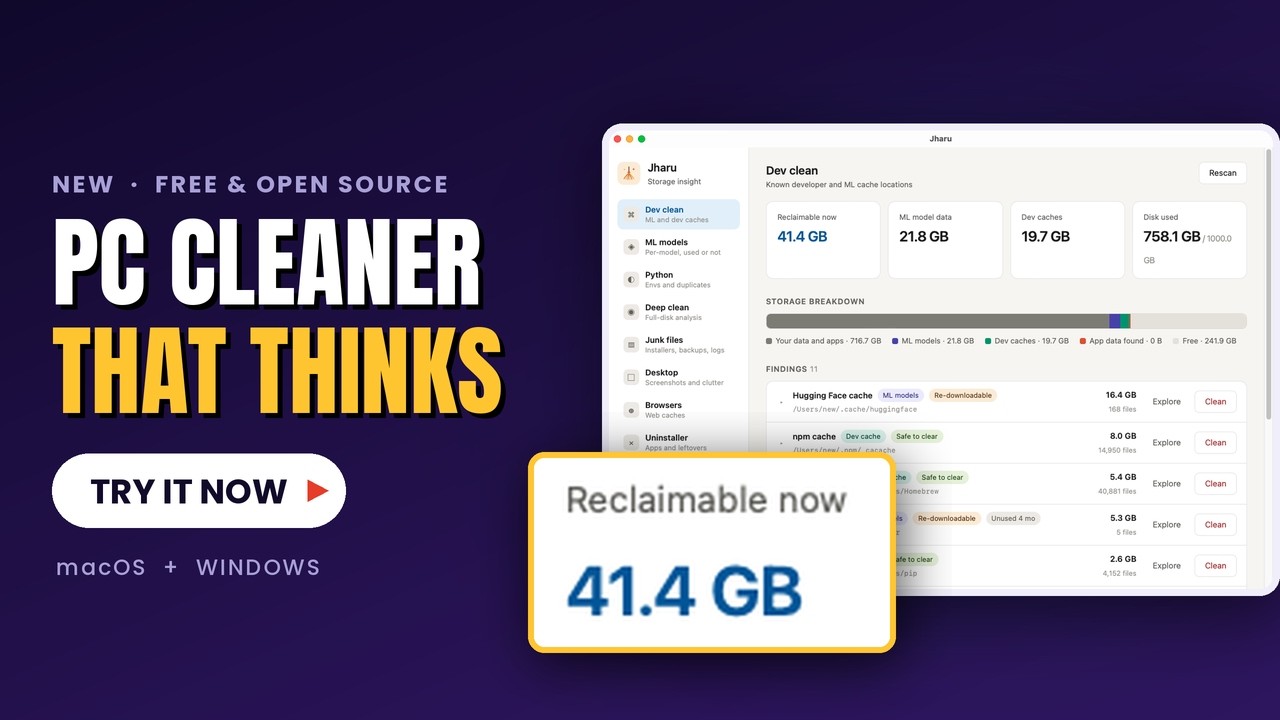 ▸ demo · jharu v0.2.0 · macOS
Honest comparison
A free CleanMyMac alternative, built for people who make things.
Generic cleaners are built to look busy and sell a subscription. Jharu does one thing deeply: the developer and AI data no general-purpose cleaner understands.
| Jharu | CleanMyMac | CCleaner | |
|---|---|---|---|
| Price | Free forever | $40+/yr | Freemium |
| Open source | Yes · Apache 2.0 | No | No |
| Understands ML model caches | Yes | No | No |
| Used vs never-loaded detection | Yes | No | No |
| Telemetry / tracking | None | Yes | Yes |
| macOS & Windows | Both | macOS only | Both |
| Registry "cleaner" snake oil | Never | — | Yes |
Answers
Frequently asked questions
Is Jharu a free disk cleaner?
Is it an AI cleaner?
How do I clear the Hugging Face or Ollama model cache?
Is it safe? Will it delete something important?
Is this a good free alternative to CleanMyMac or CCleaner?
Does it work on both Mac and Windows?
Reclaim your disk in about a minute.
Download Jharu, run one scan, and see exactly what is safe to remove — with the real numbers from your own machine.
v0.2.0 · Apache 2.0 · source on GitHub